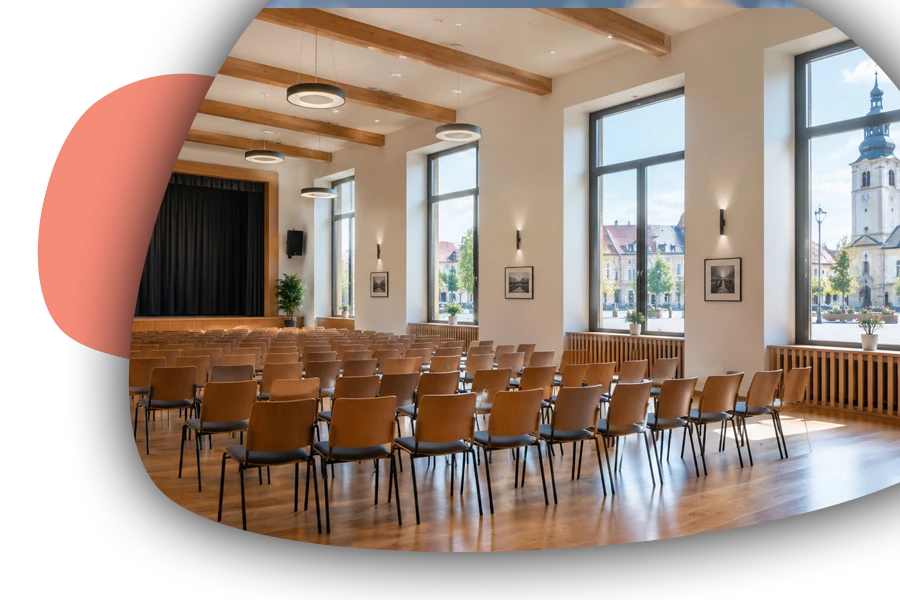
reservation system for municipalities and public organizations
reenio is a cloud-based reservation system that enables municipalities and their organizations to offer venue, gym, and sports field rentals, sell tickets to events, and manage everything on a single, user-friendly reservation page.
One page
Flexible resources and scheduling bring sports facilities, venues, and cultural events together on a single reservation page.
Who manages what
User roles separate individual facilities and administrators, while reservation approval confirms rental requests.
How payments are made
By bank transfer to the municipality's account using a QR code, or at the municipal office cashier's desk via a payment terminal.
FREE version at no cost with no time limit
Embed it in your own website
Employee notifications
Data stored in EU data centers
Partners providing training or setup services
Developed in the Czech Republic
and much more…
Municipalities, towns, and their public organizations manage a diverse range of services and facilities for their residents - from community centers and sports halls to libraries, swimming pools, youth centers, ceremony halls, and senior taxi services. Each of these areas has its own rules, administrators, and payment methods, yet they should all be presented to residents clearly and consistently. An online reservation system brings order to municipal services, transforming numerous paper logs, spreadsheets, and phone calls into one convenient place where residents can find what they need on their own.
What needs to be addressed ...
Renting municipal premises, gyms, sports fields, and clubhouses to associations and private individuals.
Selling tickets to cultural and social events organized by the municipality or its organizations.
Approving rental requests before a time slot is definitively confirmed.
Different prices for local residents, associations, schools, and applicants from other municipalities.
Payments by bank transfer to the municipality's account, or by cash or card at the municipal office cashier's desk.
In many municipalities, the management of municipal property and services still relies on phone calls, email, and a shared spreadsheet maintained by one specific employee. As soon as that person is sick or on vacation, the entire reservation process comes to a halt. An online reservation system moves schedule management into a shared, continuously updated environment where residents can see in real time when a venue, sports field, or sauna is available and reserve a time slot themselves - even in the evening or on weekends. The municipal office does not lose control - for rentals requiring review, it can approve a reservation before confirming it, while routine services can be processed entirely automatically. Transparency is another undeniable advantage. Clearly defined rules, prices, and availability visible to everyone reduce disputes over who requested a time slot first and strengthen residents' trust in the municipality's fair approach. At the same time, the system can offer completely different services on a single reservation page - hourly court rentals, one-off cultural events, multi-day venue rentals for weddings, or activities lasting the entire school year. For a municipality that wants to offer modern services to its residents, implementing a reservation system is therefore a logical step toward digitalization that can be accomplished without a major investment or an in-house IT department.
The benefits are evident on several levels at once. Municipal employees spend significantly less time handling phone calls, transcribing schedules, and tracking payments, because confirmations, reminders, and payment details are sent to residents automatically. Public organizations such as sports facilities, cultural centers, or libraries can manage their own operations independently, with each administrator seeing only what they are responsible for, while municipal management retains an overview of overall property use. Occupancy and revenue data then provide a basis for decision-making - showing which facilities are worth expanding, where pricing should be adjusted, and which services residents actually use. Online ticket sales for balls, theater performances, or concerts at the community center save organizers from having to sell tickets at the box office and save attendees a trip to the municipal office. Secure access to gyms and clubhouses using PIN codes also solves the persistent problem of handing over keys to associations and requiring administrators to work evening shifts. Last but not least, there is the municipality's image - a municipality where residents can make a reservation as easily as they can with a modern private company appears open, welcoming, and well managed.
Key features for municipalities and public organizations
Municipal services are diverse, and each has its own specific requirements - from payment methods and approval processes to access rules. Selected features help bring these different areas together in one user-friendly system that reduces the municipal office's workload, makes municipal property management more transparent, and provides residents with a convenient and trustworthy service.
User roles
Running a reservation system usually isn't a "one man show", so access and administration need to be available to multiple users. User roles serve exactly this purpose, allowing work in the administration with different levels of permissions.
Split the work in the administration across your whole team while staying in control of who can see, edit, and configure what – from full administrator access down to simply viewing reservations.
Any number of users, each under their own account, can have access to the reenio reservation system's administration. The system offers several user roles which, combined with specific permissions, clearly define what activities a given user is allowed to carry out.
Administrator
Full access to all data and settings.
Employee
A flexible role typically for users who manage reservations, events, and communicate with customers, and so on.
Receptionist
A role designed for quickly and efficiently working with existing reservations, creating them, and checking them in.
Read-only
A supplementary role intended purely for access to information, typically as a safe way to view data.
Thanks to user roles and permissions, working with reservations can be entrusted to other people without them needing access to the reservation page settings or other system parameters – an employee, for example, can process reservations but can't change the system's configuration or access the record of online payments. In specific cases, you can also set a restriction to a specific group of reservations based on a resource (e.g. only a particular branch or service).
Logging in can be secured with two-factor authentication, or password entry can be replaced with modern passkeys – verification by fingerprint, face recognition, or the device's own screen lock.
Event: Interval
This event type allows opening hours to be split into regular time slots. Customers book one or more consecutive time slots according to their own needs. One of the most widely used and most efficient event types.
If you offer services in regular time slots (60 minutes, 90 minutes, etc.), this is the ideal event type, offering a simple and clear booking process.
The Interval event type lets you define a time range within a single day and split it into smaller, regular chunks. On the reservation page, a customer chooses these specific time slots, which can also follow on from one another, extending their reservation according to the defined rules.
This event type is typically suitable for sports facilities and sports complexes, consulting and advisory services, wellness, or a sauna.
Reservation approval
The standard model assumes that as soon as a reservation is created, it's fully valid. The reservation approval feature brings the option where a customer is clearly informed that they must wait for their reservation to be approved.
Don't let customers create reservations online without your say – decide for yourself which reservation to approve. This is useful anywhere a booking request needs to be reviewed first, before you actually assign the customer an event.
The reservation approval feature changes the standard process so that a reservation created by a customer isn't approved right away, but first waits for your approval in the administration. After creating a reservation, the customer is informed that their reservation is awaiting approval, and receives final confirmation (and, if applicable, a prompt for online payment) only once you approve, or alternatively reject, the reservation.
This is useful anywhere you want full control over how events are filled – for example for individual consultations, where you first need to check whether a time slot is suitable, for services that require related preparations to be arranged, or anywhere you want to prevent random or unsuitable reservations.
Tickets
Even though the reservation system works with the concept of a "reservation", it can just as well handle everything related to tickets. A ticket is simply a specific form of what a reservation means within a particular business.
Tickets
A reservation in the reenio system doesn't have to mean just a booked slot in a calendar – it can also mean a ticket. It's just a different way of looking at what you're offering customers, what they're buying, and how the whole process then unfolds.
Every reservation carries everything you'd expect from a ticket – a unique code, a QR code for quick check-in, and information about the time and exactly what it can be used for. From this perspective, selling tickets is a fundamental way of using the reservation system. A ticket is often understood as a document that, for example, matches the visual identity of an event and also contains additional information. All of this can also be provided in the reenio system, where you can create your own design for the reservation confirmation = the look and content of the ticket.
The customer receives their ticket by e-mail right after payment, can save it to their Apple or Google Wallet, and you simply scan it with the mobile app at the entrance. If you want to sell tickets for events, it's really nothing more than a reservation with online payment and a custom confirmation design.
Bank transfer payments
If it doesn't matter how long a payment for a reservation takes, a system-generated bank transfer can be a suitable solution. The system generates the payment details itself, and the customer simply makes a standard transfer from their account.
Offer customers a classic bank transfer payment option too, for cases where you don't need instant confirmation – ideal for reservations made well in advance.
Bank transfer payment in the reenio system is especially useful where the deadline for mandatory payment of a reservation is three days or more, or where payment isn't a condition for the reservation to be created at all. The advantage of this approach is that everything happens purely within the reservation system and the bank, without needing an online payment gateway set up. Another advantage is lower costs for processing payments. The downside, on the other hand, is that checking, synchronizing, and the speed of payments is more complex.
The system provides the customer with the payment details (account number, amount, variable symbol – also in the form of a popular payment QR code) needed to send the payment, and based on the variable symbol, the payment can then be traced and matched to a specific reservation or, in the case of gift coupons, a purchase. Matching can be done manually directly in the administration, or automatically – you just need to set up your supported bank to send notifications of incoming payments to a unique e-mail address. As soon as such a notification arrives from the bank, the system matches the payment based on the variable symbol and marks the reservation as paid itself.
Bank transfer is usually also available as one of the methods within the online payment gateway, though in that case enabling it is more of a complication, since it combines completely different payment methods into a single solution. As with other payment methods, the system automatically issues and sends the customer the relevant accounting document the moment the payment is matched.
Flexibility of resources and events
Resources and events let you create various combinations of events, services, or places within a single reservation page. Under one roof, you can effectively cover a one-off large event as well as regular hourly bookings.
Run an arbitrarily varied range of services on a single reservation page – one-off events, recurring courses, space rentals, and ticket sales all at the same time? The reenio reservation system can cover even these complex business models.
The reenio reservation system is not limited to just a single type of offering – within one page, you can create any number of resources (places, services, employees) and assign each of them the type of event that best suits that particular offering. This means an hourly court rental via interval events, a monthly yoga course as a full sequence, a one-off seminar as a full single event, and the sale of punch cards or gift coupons, can all run side by side – all on one reservation page and in one administration.
Clarity for such a varied offering is provided by a navigation hub, which can be set up as a multi-step guide, walking the customer through it step by step (e.g. first choosing a service, then an employee or branch).
Last but not least, thanks to collision protection over time, the system also automatically makes sure the same resource (e.g. a specific employee or room) never ends up in two reservations at once, even when it's used across different event and resource types.
GDPR and similar legislation
Formal requirements and legislation are an inseparable part of any business, especially online. The reservation system helps you implement and meet requirements arising from GDPR, the right of withdrawal from a contract, or reporting illegal content under the DSA.
Run your reservation system in compliance with current legislation without having to track every change in this area yourself – we continuously add features that make it easier to meet your obligations. Of course, in this respect the reservation system is just a tool; legislative requirements and processes must always be grounded in the reality of your business, including outside the online world.
For example, as part of GDPR, the reenio system lets you set up automatic deletion of personal data after a chosen period, or keeps track of customer requests to have their personal data deleted. You can also define your own consents that go beyond the defined legitimate interest, and use them as the basis for, for example, sending marketing communications only to customers who have given direct consent for that.
In response to ongoing changes in legislation and amendments to laws, new features have appeared in the reenio system to make it easier to meet the requirements of the so-called "button law", the requirement for easy withdrawal from a contract, or the ability to report illegal content on the reservation page.
Smart lock integration
Connecting reservations with smart locks from Igloohome, Nuki, or the Unifi Access system allows customer access to be automated with PIN codes – without any need for personal contact or handing over keys.
You can connect reservations in the reenio system directly with supported smart locks and thus automatically control customer access.
Supported locks include Igloohome (offline operation is also possible thanks to algoPIN technology), Nuki, and the Unifi Access system from Ubiquiti. Each has its own specifics and is an ideal solution for different types of operation and scenarios.
Igloohome
Not just online operation via an internet gateway, but also a standard offline mode using the algoPIN algorithm.
Nuki
A well-known and proven smart lock brand with an online cloud solution.
Unifi Access
A professional solution for demanding operations, enabling full access control and integration with, for example, a camera system.
The whole process can work according to your specific settings, but typically, for example 1 hour before a paid reservation begins, a unique PIN code valid only for that customer and for the duration of their reservation is automatically generated and sent to them. With Igloohome there is an option where the lock doesn't need to be connected to the internet and the customer still receives a unique PIN code. However, an online connection offers greater flexibility and control over access.
To use this integration, you need to have the REENIO Connect feature active in the administration and the ability to use Custom messages, through which the automation itself takes place. The unique PIN code is then sent to the customer via e-mail or SMS.
Cash register and payment terminal
When online payments aren't enough and you need to accept payments on the spot, the cash register feature comes in handy – issuing and printing a receipt, processing a card payment through a terminal, and so on.
Handle payments received in person on the spot too – mark a reservation as paid, generate an accounting document, and print it directly on a POS printer, or accept a card payment right away through a connected payment terminal.
The cash register feature lets you mark a reservation as paid directly in the administration, even when the payment took place outside the online payment gateway, for example in cash at reception. The system can then issue a corresponding accounting document for the payment received this way, respecting the configured document numbering, and so on.
For card payments, the system can also be connected to a payment terminal (SumUp, Genius, Comgate), which means a payment request can be sent to the terminal directly with a button in the reservation detail, and after a successful payment the system automatically marks the reservation as paid, creates the payment and document, and sends the customer a confirmation by e-mail, just like with payment via the online gateway.
Are you wondering if an online reservation system is right for you? Check out the FREQUENT QUESTIONS or the DOCUMENTATION pages and try out the reenio system.